
Excalidraw Whiteboard
Use Excalidraw Whiteboard
All GotoKit tools run directly online, no download required.
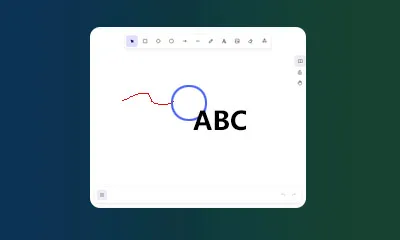
An Excalidraw-powered online whiteboard for hand-drawn diagrams, flowcharts, wireframes, and sketching.
About this tool
Use a hand-drawn online whiteboard for flowcharts, sketches, wireframes, and annotations with local editing and export.
- 100% free with no usage limits
- No sign-up or login required
- Runs right in your browser
- Privacy-friendly and fast to use
Docs
Use a hand-drawn online whiteboard for flowcharts, sketches, wireframes, and annotations with local editing and export.
Key Features
- Infinite canvas for large diagrams and long planning sessions
- Hand-drawn style shapes, arrows, text, and freehand drawing
- Dark and light themes for projection and low-light work
- Local-first editing with browser-side scene persistence
- Native export options through Excalidraw menu (PNG, SVG,
.excalidraw)
How To Use
- Open the page and wait for the editor to finish loading.
- Pick tools from the left toolbar and draw directly on the canvas.
- Use
Reset Canvasto clear and start a new scene quickly. - Use
Fullscreenfor focused editing, and pressEscto exit. - Export your result from the Excalidraw menu for sharing or backup.
Typical Scenarios
- Product requirement and interaction flow sketching
- Architecture and module relationship explanation
- Workshop notes and technical brainstorming
- Teaching diagrams and presentation visuals
Notes
- The tool runs in your browser and does not upload your drawings to Gotokit by default.
- If browser site data is cleared, local cached scenes may be removed.
- For long-term storage, regularly export
.excalidrawfiles.
Last verified: 2026-04-27
Source: excalidraw/excalidraw
FAQ
Is it free?
Yes, completely free. No signup, no limits. Ready to use.
What drawing tools?
Hand-drawn style: flowcharts, wireframes, sketches. Shapes: rect, circle, arrow, text.
Will content be saved?
Stored in browser localStorage. Reopen to continue editing. No server upload.
What export formats?
PNG, SVG, and .excalidraw source file. For sharing and re-editing.
Best for?
Product planning, architecture design, teaching, meetings, brainstorming.
More from Design
All Design toolsPantone Color Picker
Pick any color and find the nearest Pantone reference instantly, with ready-to-copy HEX and RGB values for design and print workflows.
Color Wheel Studio
Explore colors with an interactive wheel, fine-tune HEX, RGB, HSL, and HSV values, and save palettes directly in your browser.
Color Scheme Generator
Generate color schemes from a base color using 7 harmony rules with live UI preview and export to HEX, Tailwind, or CSS variables.
Pantone + CMYK + RGB Print Palette
Professional print palette with 150+ Pantone swatches, 2-5 color combos, auto Pantone matching, real-time CMYK, and simulated coated-paper preview.
Gradient Art Generator
Create layered radial-gradient artwork with blend modes, random presets, and copy-ready CSS for modern backgrounds and hero sections.
Chord Diagram Generator - Free Online Circular Chart Maker
Read pair-wise relationships with a circular chord diagram: nodes ring the circle, arc length shows each node’s total flow, and ribbon width plus color encodes how strongly any two nodes connect. Made for migration, trade, calls or citations, with three color themes and PNG / SVG export.
Elegant Date Ring Bubble Chart
Map a full year of events onto a concentric date ring — months on the outer circle and days aligned inward — so each event floats as a soft gradient bubble over its own calendar cell. Sparse days and crowded holidays reveal themselves instantly in a refined, low-saturation palette with light / dark canvas and PNG / SVG export.
Dual Gradient No. 1 Nightingale Rose Chart
A Nightingale rose whose petals sweep outward in a symmetric ring, each one brushed with a two-tone gradient instead of a flat color. An optional year label sits at the center of the chart, and light / dark canvas styles come with PNG / SVG export.
Poster Two-Column Sankey Diagram Generator
A poster-grade two-column Sankey: left-side nodes take vivid colors while right-side nodes are shaded in weight-based grays, and every flow band carries its own name, value and share. The clean two-column layout is ready to drop into a poster, with light / dark canvas styles and PNG / SVG export.
Streamgraph Generator - Free Online River Chart Maker
A smooth streamgraph where every series stacks symmetrically around a baseline that sways with time, the stacked shapes undulating like shifting river channels. Ideal for comparing how the parts of a whole change together over the years; supports 2 to 16 series and 3 to 40 rows, with light / dark canvas and PNG / SVG export.
Morandi Streamgraph Generator - Free Online River Chart Maker
A streamgraph dressed in a Morandi blue-to-pink palette: low-saturation navy, blue-gray and dusty rose keep the layered river calm and easy on the eye, thin white seams separate every layer, and a top legend keys colors to series. For stacked trend views that still feel refined, with light / dark canvas and PNG / SVG export.
Error Band Chart Generator - Free Online Confidence Band Maker
A continuous error band chart: instead of a fixed shadow under the main line, a band hugs the line and changes width point by point, swelling in volatile periods and thinning in calm ones, so trend and uncertainty live in one frame. Classic off-white, rainbow and Morandi themes with light / dark canvas and PNG / SVG export.
Line Bubble Chart Generator - Free Online Log-Scale Bubble Chart Maker
A curved-stem bubble chart for timelines: each event sits on a year axis, a thin stem bows rightward off the bottom spine and lifts a translucent bubble, and a logarithmic Y axis keeps values across orders of magnitude (0.7 to 14) comparable in one frame while bubble size maps by square root. Five category colors, light / dark canvas and PNG / SVG export.
Morph Bubble Zoning Diagram Generator - Free Online Organic Bubble Diagram Maker
A Morph Bubble Zoning Diagram where child nodes fuse into their hub with Metaball surfaces instead of floating detached, labels run along each node’s outer arc, dashed links connect the bubbles, and a teal-to-green four-color palette keeps the cluster calm. Made for hub-and-member structures; light / dark canvas and PNG / SVG export included.
Scallop Chord Diagram Generator - Free Online Bipartite Chord Diagram Maker
A scallop-shaped bipartite chord diagram: group arcs along the bottom are weighted by total flow into unequal scallops, target nodes fan across the top in equal-width arcs, and the flows between them become thin ribbons bending along center-crossing Bézier curves, with radial labels that never tangle. Built for few-groups-to-many-targets bipartite data; light / dark canvas and PNG / SVG export.
Annotated Heatmap Generator - Free Online Table Heatmap Maker
A table heatmap that keeps the numbers legible: every cell is both color-filled and labeled with its value, a diverging scale stretches from zero toward positive and negative extremes, and a vertical ticked color bar sits on the right. Themes for classic, rainbow and Morandi looks, light / dark canvas, PNG / SVG export.
Grouped Bar Chart with Error Bars Generator - Free Online Chart Maker
A grouped bar chart with error bars in the restrained academic style: two pastel-colored bars side by side, black I-shaped error bars on top, a full black axis frame and x labels rotated 45 degrees — a faithful reproduction of a paper-ready figure. Built for experimental group comparisons, with light / dark canvas and PNG / SVG export.
Ridgeline Plot Generator - Free Online Joy Plot Chart Maker
A ridgeline (joy) plot that stacks several distributions along their own horizontal baselines, peaks rising smooth and never overlapping, with a series name on the left of each row and a dot legend beneath — ideal for comparing the peaks and spread of many groups side by side. Up to 6 series and 400 rows, with light / dark canvas and PNG / SVG export.
Radial Stacked Bar Chart Generator - Free Online Circular Bar Plot Maker
A radial stacked bar chart (racetrack / circular bar plot) where each row of data becomes one concentric ring, split into stacked category arcs whose lengths stay proportional to the ring total — like laps of a track labelling each year’s composition. An italic total sits just beyond every arc end and a vertical square-marker legend keys the colors; light / dark canvas and PNG / SVG export included.
Four-Stage Decision Sankey Diagram Generator
A four-column Sankey that renders the whole funnel at once — origin, destination, decision, then breakdown by origin. Volume layers in from the left, the right side splits it into accepted-versus-rejected comparison bars per source, and a year badge plus three palettes complete the academic poster look for review, approval or admission flows.
Triangular Distribution Matrix Heatmap Generator
Lay out a frequency matrix — how many days each category spends in every value bin — as a stepped triangular heatmap. Cell color encodes frequency while IQR ranges, median dots and mean crosses are drawn automatically, revealing skew and spread at a glance. Three palettes, light / dark canvas and PNG / SVG export.
Circos Gradient Ribbon Chord Diagram Generator
A Circos-style chord diagram split into warm and cold camps: warm nodes and cold nodes each form a continuous arc, and the link between them becomes a ribbon that gradients from one end’s color to the other’s. Whole-camp flows are legible at a glance for matrices such as genomics, networks or ecology; dark mode and PNG / SVG export included.
Bubble Chord Diagram Generator - Circular Collaboration Network
A bubble chord diagram places paired relationships around one big circle: each node is a bubble whose size shows the node scale and whose fill walks an aqua-to-blue colormap for strength; links bow toward the center with thickness proportional to the flow value, while node names radiate outside the ring. Built for collaboration networks, supply-chain dependencies and inter-team flows where each node also carries metrics, still legible around 30 nodes; dark mode and PNG / SVG export.
Radial Arc Flow Diagram Generator
A radial arc flow diagram for country-to-organization flows: a top arch is segmented by region with country ticks along the arc, and curves stream down from each tick into organization nodes sized by total volume. Built for global trade, aid or migration narratives, with dark mode and PNG / SVG export.
Arc Diagram Generator
A classic arc diagram that flattens co-occurrence onto one baseline: colored group ticks sit on the line, vertical group-colored labels stand at the left, and relationship strength is drawn as semi-transparent semicircle arcs whose height and thickness vary with the weight — clean even at 400 relations. Great for timelines and ranked pairings; dark mode and PNG / SVG export.
Grouped-Color Rose Chart Generator
Turn category, value and group columns into a Nightingale rose where every petal takes the color of its group, hues flowing smoothly from one segment to the next. Includes a label toggle, light / dark canvas styles and PNG / SVG export, all rendered locally.