
PDF Merger
Use PDF Merger
All GotoKit tools run directly online, no download required.
About this tool
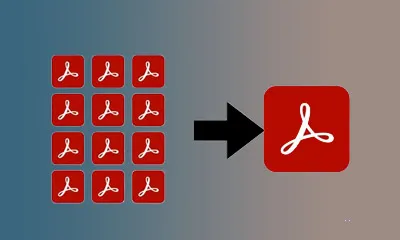
Combine multiple PDF files into one document, reorder them visually, and export a merged PDF with a custom filename.
- Keeps original layout, tables and images
- Works on scanned documents — OCR friendly
- PDFs stay on your device, processed locally
- Free, no watermark, no usage limits
Compared with common PDF workflows
| Aspect | This tool | Typical alternative |
|---|---|---|
| Time to start | Open the page and start | Often needs installation or import |
| Lightweight tasks | Faster for conversion, compression, merging | More settings, but heavier workflow |
| Privacy | Prioritizes local or lightweight web flow | Depends on app and sync settings |
Docs
Combine multiple PDF files into one document, reorder them visually, and export a merged PDF with a custom filename.
Key Features
- Multi-file Upload: Upload up to 20 PDF files at once, automatically recognized and ordered
- Drag Reorder: Freely adjust merge order by dragging file cards in the grid
- Flexible Management: Remove individual files, clear all at once, or re-upload replacements
- One-click Merge: Combine all PDFs in the current order with a single click
- Custom Filename: Set a custom output filename, or use the first file’s name by default
- Privacy Safe: Files are temporarily stored only during processing and auto-deleted afterwards
How to Use
- Drag & drop multiple PDF files onto the upload area, or click to select
- Reorder the PDF cards by dragging them in the grid
- Confirm the order and click “Merge PDFs”
- Wait for completion and download the merged PDF
Use Cases
- Combine multiple contracts/agreements into one document
- Merge scanned document parts into a single PDF
- Consolidate reports, appendices, and references into one file
- Archive multiple PDF invoices/receipts into a single record
- Combine lecture notes and study materials into a study pack
Notes
- Max 30MB per file, total max 150MB
- Up to 20 PDF files at once
- Unencrypted standard PDFs only — unlock encrypted PDFs first
- Merge order follows the card arrangement, adjustable by drag & drop
- Files auto-deleted after processing
- Powered by a professional PDF engine
FAQ
Is this tool free?
Completely free, no usage limits, no signup required.
Can I reorder PDFs?
Yes, drag the PDF cards in the grid. Card order = merge order.
How many files?
Up to 20 PDFs, max 30MB each, total max 150MB.
Are encrypted PDFs supported?
Not yet. Please unlock encrypted PDFs first. We'll identify which files are encrypted.
Are my files safe?
Files are only used for merging and auto-deleted after completion.
How can I process a scanned PDF without obvious quality loss?
Start with the original scan, avoid repeated recompression, and enable any image- or OCR-friendly mode when available. After processing, preview text edges, tables, and image detail before exporting the final PDF.
Is this tool suitable for preparing PDF files for email attachments?
Yes. Email-ready PDFs usually need the right balance of file size, compatibility, and loading speed. Compress or convert first, then confirm fonts, margins, images, and page count still look correct.
What is the difference between this online PDF tool and desktop software?
Online tools are usually faster for one-off tasks and lightweight workflows because there is nothing to install. Desktop software is stronger for batch automation, complex layouts, and enterprise pipelines. For quick conversion, compression, merging, and export, online is usually the fastest path.
Do I need to sign up, download, or install anything?
Most Gotokit tools are designed to open directly in the browser without a separate install. If a tool has a quota, browser requirement, or third-party dependency, the page copy will state that clearly.
More from PDF Convert
All PDF Convert toolsPDF to Word Converter
Convert PDFs to editable Word documents while preserving paragraphs, tables, and images, and also export Office files to PDF.
PDF Watermark
Add custom text watermarks to PDFs with adjustable font size, color, opacity, rotation, and position. Tile mode for repeating watermarks.
PDF Compressor
Reduce PDF file size with adjustable compression levels while keeping text readable and images usable.
PDF Encrypt and Decrypt
Protect PDFs with AES-256 passwords or remove password protection from files you are allowed to unlock.
Image to PDF Converter
Turn JPG, PNG, WebP, BMP, and GIF images into one PDF with drag-to-reorder, fit modes, page size, and margins.
PDF Splitter
Select the PDF pages you want to keep, remove the rest, and export a clean new PDF with page-grid controls.
PDF to Image Converter
Convert every page in a PDF to high-resolution PNG or JPG images with thumbnail preview, ZIP download, and DPI controls.