
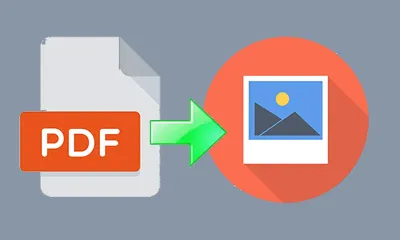
PDF to Image Converter
Use PDF to Image Converter
All GotoKit tools run directly online, no download required.
About this tool
Convert every page in a PDF to high-resolution PNG or JPG images with thumbnail preview, ZIP download, and DPI controls.
- 100% free with no usage limits
- No sign-up or login required
- Runs right in your browser
- Privacy-friendly and fast to use
Docs
Convert every page in a PDF to high-resolution PNG or JPG images with thumbnail preview, ZIP download, and DPI controls.
Key Features
- Full Page Conversion: Renders every PDF page as an independent image, preserving text and graphics quality
- Thumbnail Preview: Shows a 3-column thumbnail grid of all converted pages at a glance
- Click to Enlarge: Click any thumbnail to open the full-size image in a new window for detailed viewing
- Adjustable DPI: Choose from 72/150/200/300 DPI to balance quality and file size
- Format Options: PNG (lossless) or JPG (smaller file size)
- Batch Download: One-click ZIP download of all images
- Privacy Safe: Files are temporarily stored and auto-deleted after conversion
How to Use
- Drag & drop a PDF or click to select a file
- Choose resolution (DPI) and output format (PNG/JPG)
- Click “Convert to Images”
- Preview all pages in the thumbnail grid
- Click thumbnails to view full-size, or download all as ZIP
Use Cases
- Export PDF pages as images for sharing via messaging apps
- Extract charts and graphics from PDF reports
- Convert PDF slides into images for presentations
- Split multi-page PDFs into individual images for editing
- Create social media graphics from PDF content
Notes
- Max file size: 30MB
- Higher DPI = better quality but larger files
- JPG is smaller with lossy compression; PNG is lossless but larger
- Files are auto-deleted after processing
- Powered by a professional PDF engine
FAQ
Is this tool free?
Completely free, no limits, no signup.
What image formats?
PNG (lossless) and JPG (smaller). Up to 300 DPI.
Can I preview images?
Yes, converted pages display as a 3-column thumbnail grid. Click to view full-size.
How to download multiple pages?
Download individually or click "Download All (ZIP)" to get all images.
Are my files safe?
Files auto-deleted after processing.
More from PDF Convert
All PDF Convert toolsPDF to Word Converter
Convert PDFs to editable Word documents while preserving paragraphs, tables, and images, and also export Office files to PDF.
PDF Watermark
Add custom text watermarks to PDFs with adjustable font size, color, opacity, rotation, and position. Tile mode for repeating watermarks.
PDF Compressor
Reduce PDF file size with adjustable compression levels while keeping text readable and images usable.
PDF Encrypt and Decrypt
Protect PDFs with AES-256 passwords or remove password protection from files you are allowed to unlock.
Image to PDF Converter
Turn JPG, PNG, WebP, BMP, and GIF images into one PDF with drag-to-reorder, fit modes, page size, and margins.
PDF Merger
Combine multiple PDF files into one document, reorder them visually, and export a merged PDF with a custom filename.
PDF Splitter
Select the PDF pages you want to keep, remove the rest, and export a clean new PDF with page-grid controls.