
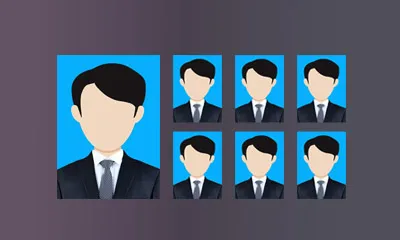
ID Photo Maker
Use ID Photo Maker
All GotoKit tools run directly online, no download required.
Upload a normal front-facing photo. AI cuts out the portrait, replaces the background with a solid color and crops to standard ID photo sizes. Common specs and print sheets supported. No login, free.
 Drop photo here or click to upload or Ctrl+V to paste
 About this tool
Turn a front-facing portrait into a printable ID photo with background replacement, standard photo sizes, and 6-inch print-sheet output.
- Images processed locally in your browser — nothing uploaded
- Export as PNG / JPG / WebP
- Batch processing with no usage limits
- No sign-up, works instantly
Compared with common image editing workflows
| Aspect | This tool | Typical alternative |
|---|---|---|
| Start point | Edit directly in the browser | Usually needs a desktop editor |
| Best for | Cropping, background removal, watermarking, resizing | Deep retouching and layered work |
| Export and sharing | Faster PNG/JPG/WebP export | More formats, but more steps |
Docs
Turn a front-facing portrait into a printable ID photo with background replacement, standard photo sizes, and 6-inch print-sheet output.
Key Features
- AI portrait cutout and background replacement: auto-detects the person, removes the original background and replaces it with a solid white, blue or red color
- Smart face positioning: uses face detection and landmark location to auto-center the face and control head ratio for compliant layout
- Automatic side-face rejection: checks pose angles (yaw/pitch/roll); side or tilted faces are rejected with a prompt to re-upload, keeping results valid
- Multiple specs: one-inch (25×35mm), small/large one-inch, two-inch (35×49mm), small/large two-inch, passport, US visa (2×2in), Schengen visa, Japan passport and more
- Print-ready precision: pixels computed at 300 DPI for direct printing
- 6-inch print sheet: automatically tiles multiple copies onto a 6-inch photo sheet
- Download both a single PNG and a print-sheet JPG
- No login, completely free
How to Use
- Upload a photo: drag your front-facing photo into the upload area, click to upload, or paste with Ctrl+V.
- Choose a size: pick the ID photo spec you need from the dropdown (one-inch, two-inch, passport, visa, etc.).
- Choose a background color: click white, blue or red.
- Click “Generate ID Photo”. The tool runs face detection, AI cutout, background replacement and cropping in order.
- Preview the ID photo on the right, then click “Download Photo” for a single copy, or “Download Print Sheet” for a 6-inch layout.
Use Cases
- Quick creation and preview of ID photos for resumes, registrations and online submissions
- Background color replacement to standard white/blue/red
- Print layout: generate a 6-inch sheet to print multiple copies at once
- Neat solid-background front-facing avatars for social and office use
Notes
- ID photos must be genuine and unaltered. This tool only cuts out, replaces the background and crops; it does not modify facial features. Please upload your own straight, front-facing photo.
- If a side face, tilted head or multiple faces are detected, you will be asked to re-upload. Use a straight, single-person front-facing photo.
- Results are best for online preview and self-service printing. Verify the target institution’s specific requirements for size, background color, head ratio and expression before official submission.
- File size limit is 3MB. JPG/JPEG/PNG/BMP/WEBP formats are supported.
- Images are only used temporarily during processing and are deleted automatically afterwards; nothing is stored.
Last verified: 2026-07-11
FAQ
Is it free?
Yes, completely free. No signup required, always free to use.
Can it turn a side-face photo into a front-facing ID photo?
No. ID photos must be genuine and unaltered, so the tool does not generate or rotate faces. If a side or tilted face is detected, you will be prompted to upload a straight, front-facing photo.
What sizes are supported?
One-inch (25×35mm), small/large one-inch, two-inch (35×49mm), small/large two-inch, passport, US visa (2×2in), Schengen visa, Japan passport and more, output at 300 DPI.
Can the result be used for official submission?
It is best used for online preview and self-service printing first. Différent institutions have specific requirements for size, background color, head ratio and expression, so verify them before official submission.
Will my photo be saved?
No. Photos are used temporarily during processing and deleted automatically afterwards. No permanent storage.
Is this tool suitable for ecommerce, social media, or email images?
Yes. Ecommerce images usually need clean edges and consistent sizing, social images need stronger cropping and visual impact, and email images need smaller file sizes. Export different sizes for each target channel.
Are my images uploaded to a server?
Most image tools on the site prioritize local browser-side processing, which is better for privacy-sensitive assets. If any AI feature has a usage cap or depends on a cloud model, the page copy will call that out explicitly.
How do I choose between PNG, JPG, and WebP?
Choose PNG for transparent backgrounds, JPG for photos and heavier compression, and WebP when you want a better balance of quality and file size. If your target platform requires a specific format, follow that first.
Do I need to sign up, download, or install anything?
Most Gotokit tools are designed to open directly in the browser without a separate install. If a tool has a quota, browser requirement, or third-party dependency, the page copy will state that clearly.
More from Image Tools
All Image Tools toolsAI Pet Background Remover — Remove & Replace Pet Photo Backgrounds
Free AI-powered pet background remover. Instantly remove backgrounds from cat, dog & pet photos. Get transparent PNG or replace with colors, gradients & scenes. No signup required.
Image to Base64 Converter
Convert images to Base64, Data URI, CSS, HTML, or JSON output in your browser, with optional compression for smaller results.
Base64 Encoder and Decoder
Encode or decode text and files as Base64 locally in your browser, with image preview and quick copy tools.
Online Vector SVG/DXF/EPS Format Converter
Free online vector format converter. Convert between SVG, DXF, and EPS in any direction — all processing done locally in your browser.
Code to Image Generator
Turn code snippets into clean, shareable images with theme, font, line number, and padding controls, then export high-quality PNGs.
Image to Text OCR
Extract text from images in more than 100 languages with browser-based OCR powered by Tesseract.js.
Simple Image to Text OCR
Upload an image, choose a language, and extract copyable plain text in seconds with a minimal OCR workflow.
Receipt and Invoice OCR
Extract structured text from receipts, invoices, and tickets, including dates, amounts, sellers, and detected document type.
App Icon Generator
Generate app icon sets for iOS, Android, macOS, watchOS, and more from one source image, then download PNG bundles.
Image Format Converter
Convert JPG, PNG, WebP, BMP, and GIF files both ways in your browser using drag and drop, paste, or file upload.
Online Image Denoiser - Remove Noise, Enhance Quality
Remove noise from images with bilateral, median, and Gaussian filters. Edge-preserving denoising runs entirely in your browser.
Image Color Adjuster - Brightness, Contrast, Saturation & Filters
Adjust image brightness, contrast, and saturation, then apply one-tap filters. 100% local processing in your browser.
Image Compressor
Compress JPG, PNG, and WebP images locally with quality and resize controls inspired by desktop-grade tools.
Image Watermark Tool
Add text or image watermarks to photos with controls for font, color, opacity, position, tiling, and output.
AI Watermark Remover
Remove logos, subtitles, and common watermarks automatically with AI, without manual brushing or masking.
Product Background Remover
Remove backgrounds from product photos automatically and export clean transparent PNGs for listings, catalogs, and ads.
Portrait Background Remover
Remove portrait backgrounds automatically with AI human segmentation and export transparent PNGs in standard or HD mode.
Chinese ID Card Recognition
Upload Chinese ID card images to auto-extract name, ID number, birth date, gender, ethnicity, and address. Aliyun OCR with high accuracy. Images auto-deleted.
Image to Favicon Generator
Create a multi-size favicon.ico plus PNG favicon files from one image, along with a ready-to-paste HTML snippet.
AI Image Upscaler
Upscale images 1x to 4x with AI super-resolution to recover detail, sharpen edges, and reduce visible noise.
Document Scanner and Rectifier
Flatten and clean up document photos with perspective correction, smart or manual edge selection, and scan-style enhancement.
Batch Image Resizer — Resize Multiple Images Online
Free online batch image resizer: upload multiple images at once, set custom width/height or scale by ratio. Local processing, no upload, no login. Export JPG/PNG/WebP and download as a single ZIP.