
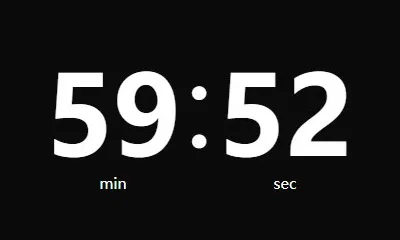
Countdown Timer
Use Countdown Timer
All GotoKit tools run directly online, no download required.
About this tool
Run a precise countdown by target date or custom duration, with pause, resume, shareable links, and end-of-timer alerts.
- Accurate timing that keeps running in the background
- No install, opens instantly
- Fullscreen mode for projectors and classrooms
- Free and unlimited, no sign-up
Compared with native timer apps
| Aspect | This tool | Native timer app |
|---|---|---|
| Startup | Great for instant launch | Better for always-on use |
| Projection and classes | Fullscreen display is very direct | Stronger notifications, not always better display |
| Background behavior | Depends on browser behavior | Usually stronger for long background sessions |
Docs
Run a precise countdown by target date or custom duration, with pause, resume, shareable links, and end-of-timer alerts.
Key Features
- Target datetime input.
- Quick now-fill action.
- Start, pause, and reset controls.
- Remaining time in days/hours/minutes/seconds.
- One-click copy for remaining time text.
Last verified: 2026-04-03
Source: VincentLoy/simplyCountdown.js
FAQ
Is it free?
Yes, completely free. No signup, no limits.
How to set?
Set target manually, click to fill current time, or enter a duration.
Will time be saved?
No. Runs locally only. Never uploaded.
Pause/resume?
Yes. Pause/resume anytime. Browser notification when done.
Multiple tabs?
Yes. Each tab runs independently. Create multiple countdowns.
Is this timer suitable for classrooms, meetings, or study sessions?
Yes. Classrooms and meetings benefit from fullscreen visibility, while study sessions benefit from stability, quiet operation, and longer runtimes. Pick the display style and alert mode that fits the room.
Will the timer keep running if I switch tabs?
Usually yes, but exact background behavior can depend on the browser and its tab-throttling rules. For important use cases, test your setup first and keep the page open during the session.
How is this different from a dedicated timer app?
The web version is better for quick start, cross-device access, and projector use, while a native timer app is usually better for system notifications, offline integration, and very long background sessions.
Do I need to sign up, download, or install anything?
Most Gotokit tools are designed to open directly in the browser without a separate install. If a tool has a quota, browser requirement, or third-party dependency, the page copy will state that clearly.